
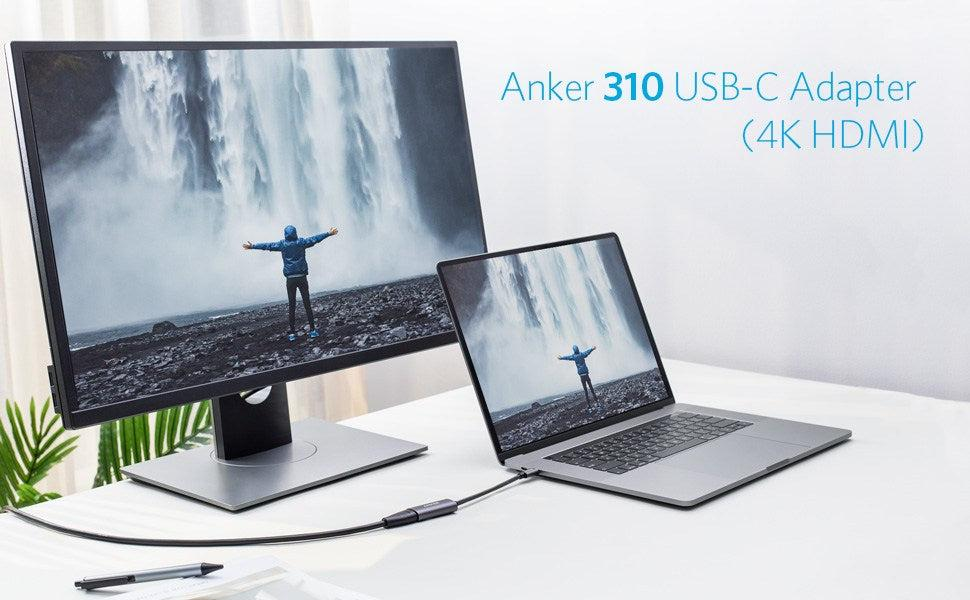
Modern technology is moving toward greater flexibility, but that does not mean every device suddenly uses the same connection standard. In 2026, laptops, tablets, smartphones, monitors, televisions, projectors, and accessories can still rely on different types of ports. A newer computer may prioritize USB-C while an older display continues to use HDMI, creating a practical gap between devices that are otherwise perfectly capable of working together. This is where the right connectivity accessory can make a noticeable difference. Instead of replacing an older display or limiting the way a device can be used, a suitable usb-c to hdmi cable can provide a straightforward connection between compatible USB-C devices and HDMI-equipped screens.
The value of this type of connection goes beyond simply making two ports physically compatible. A modern laptop might be designed for portable work while a larger monitor or television provides a more comfortable viewing experience. Being able to move between these environments gives users more freedom when working, presenting, studying, gaming, or watching content. At the same time, USB-A remains present across many chargers, computers, hubs, and other accessories, which means users often need more than one type of cable in their everyday setup. Understanding what each connection is designed to do can therefore help people build a more practical technology environment without collecting unnecessary accessories.
Connectivity decisions are also becoming more important as devices remain in use for longer periods. People do not necessarily replace a monitor because they purchased a new laptop, and they may continue using older peripherals alongside newer hardware. The better approach is often to understand the capabilities of each device and select accessories that connect them appropriately. This makes cables less of an afterthought and more of a useful part of a flexible digital setup.
Why USB-C Has Become Central to Modern Devices
USB-C has become increasingly common because the connector is compact, reversible, and capable of supporting different functions depending on the device and implementation. Charging and data transfer are among its most familiar uses, but compatible USB-C ports can also support video output. This makes USB-C particularly useful on modern laptops and tablets where manufacturers want to reduce the number of physical ports without removing useful connectivity options.
However, the presence of a USB-C port does not automatically guarantee every available feature. Video output depends on the capabilities of the source device and its USB-C implementation. Some systems support technologies such as DisplayPort Alternate Mode, while others may restrict a particular port to charging or data functions. Users should therefore check their device specifications before assuming that a USB-C connection can drive an external display.
This distinction is important because connector shape and connector capability are not always the same thing. Two devices can use identical-looking USB-C ports while offering different levels of functionality. Checking the specifications first can prevent compatibility problems and help users select the correct accessory for their particular setup.
Connecting Portable Devices to Larger Displays
One of the most practical advantages of USB-C video connectivity is the ability to use a portable device with a larger screen. A laptop that is convenient for travel may not provide the same workspace as a desktop monitor. Connecting it to a compatible HDMI display can give users more screen space while allowing them to continue using the same computer and files.
This can be especially useful in home offices, classrooms, meeting rooms, and shared workspaces. A presentation can move from a laptop screen to a projector, while a student can use a larger monitor for research or coursework. The same basic idea also applies to entertainment, where a compatible laptop or other source device can be connected to a television for a larger viewing experience.
The important point is that the cable itself does not create capabilities that the source device does not support. Resolution, refresh rate, HDR features, and other display characteristics depend on the connected hardware and the specific adapter or cable being used. For that reason, users should consider the complete connection chain rather than judging performance from the cable’s connector types alone.
Understanding What HDMI Adds to the Connection
HDMI remains a widely used display interface because it is found across monitors, televisions, projectors, and many other home and professional display products. Its continued presence means newer computers do not always connect directly to older or existing displays. A USB-C-to-HDMI connection can help bridge that difference when the source device supports the necessary video functionality.
Different HDMI connections and hardware combinations can support different resolutions and refresh rates. Some modern accessories can handle demanding formats such as 8K at 60Hz or 4K at higher refresh rates when paired with compatible equipment. That does not mean every USB-C-to-HDMI product offers those specifications. Performance should always be checked against the exact cable or adapter model and the capabilities of the computer and display.
This is particularly relevant for users who purchase accessories based only on the highest advertised specification. A display may support a certain resolution while the source device, graphics hardware, or connection standard imposes a lower limit. Looking at the complete system helps users avoid paying for specifications they cannot actually use.
The Continuing Role of USB-A in 2026

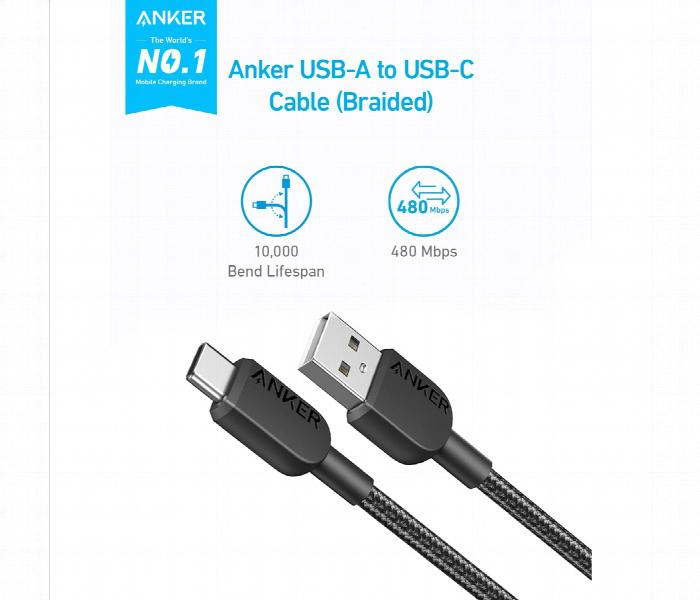
The growing presence of USB-C does not mean USB-A has disappeared. Many existing computers, chargers, hubs, power accessories, keyboards, mice, and other peripherals continue to use USB-A. This creates a mixed environment where newer devices and established equipment need to work together.
That is why a usb-a to usb type-c cable can still be useful in a modern setup. It can connect a USB-C-equipped device to a USB-A port for supported charging or data-transfer applications. This is particularly convenient when upgrading a phone, tablet, accessory, or other device without immediately replacing every older charger or computer.
As with USB-C video connections, capabilities vary between individual products. Charging speed, data-transfer performance, cable length, and construction can differ considerably. Some cables are designed primarily for charging, while others support faster data transfer. Users should therefore select a cable according to the task rather than assuming every USB-A-to-USB-C cable provides identical performance.
Cable Quality Matters More Than It Seems
A cable may appear to be a simple accessory, but its construction can have a significant effect on everyday usability. Frequent bending around desks, travel bags, charging stations, and laptop compartments can place stress on the cable and its connectors. Reinforced construction and flexible materials can help a cable withstand repeated use, although durability still varies between individual models.
Length is another practical consideration. A cable that is too short can make a desk setup awkward, while an unnecessarily long cable can create clutter. The best length depends on the distance between the source device and the display, charger, or peripheral. Choosing the appropriate length can make an otherwise simple setup noticeably cleaner.
Users should also pay attention to the specific performance specifications rather than relying only on appearance. A braided exterior may improve durability, but it does not by itself determine charging speed, data-transfer rate, or video capability. The internal design and stated specifications remain more important when choosing a cable for a particular job.
How to Build a More Flexible Connectivity Setup
A practical setup does not require owning every possible cable. Instead, users can identify the devices they regularly connect and choose accessories around those needs.
- Check the source device first: Confirm which functions its USB-C or USB-A ports actually support.
- Identify the display connection: Determine whether the monitor, television, or projector uses HDMI or another interface.
- Match performance requirements: Consider resolution, refresh rate, charging speed, and data-transfer needs.
- Choose an appropriate length: Avoid unnecessary cable slack while leaving enough room for comfortable positioning.
- Consider construction: Frequent travelers and daily users may benefit from reinforced or braided designs.
- Check exact model specifications: Connector type alone does not guarantee a particular feature or performance level.
This approach is useful because it treats connectivity as part of the overall device ecosystem. Instead of purchasing cables based on appearance or marketing terms alone, users can select accessories that solve a specific compatibility problem.
Why Compatibility Will Remain Important
Technology standards may continue to evolve, but older hardware rarely disappears at the same pace. A monitor purchased several years ago can remain perfectly functional even after a user upgrades their laptop. Similarly, a USB-A port on an existing computer may still be useful when a new accessory arrives with USB-C connectivity.
This creates a practical reason to maintain flexible connections. Accessories that bridge different interfaces can extend the usefulness of existing equipment and reduce the pressure to replace hardware simply because its port configuration is different. For consumers, that can mean a more gradual and cost-conscious approach to upgrading technology.
At the same time, compatibility should never be assumed. A successful connection depends on the capabilities of both devices and the specifications of the accessory between them. Taking a few moments to verify those details can save users from purchasing something that looks correct but cannot perform the required function.
Final Thoughts
In 2026, device connectivity is less about choosing one universal port and more about making different generations of technology work together effectively. USB-C has become an important part of modern computing, while HDMI and USB-A remain highly relevant across existing displays, computers, chargers, and peripherals. Rather than viewing these standards as competing technologies, users can treat them as parts of the same broader ecosystem.
The right cable can make that ecosystem considerably easier to manage. A USB-C-to-HDMI connection can help a compatible portable device work with a larger HDMI display, while USB-A-to-USB-C cables can keep newer devices useful with established USB-A equipment. The key is understanding what each connection supports and choosing accessories based on actual requirements.
As devices become more capable and users keep their hardware for longer, compatibility will continue to matter. A thoughtful approach to cables can help people get more value from the equipment they already own while creating setups that are easier to adapt when new technology arrives.
FAQS
Can USB-C connect to an HDMI display?
Yes, a compatible USB-C port can connect to an HDMI display through the appropriate cable or adapter. However, the USB-C port must support video output, so checking the source device specifications is important.
Does every USB-C port support video output?
No. USB-C describes the connector type, not every feature supported by the port. Some USB-C ports support charging and data only, while others can also transmit video.
Can USB-A to USB-C cables transfer data?
Yes, compatible USB-A-to-USB-C cables can support data transfer as well as charging. The actual transfer speed depends on the specifications of the specific cable and connected devices.
Is USB-C better than USB-A?
Neither is universally better because they serve different purposes and exist across different generations of hardware. USB-C offers a newer, reversible connector and can support multiple functions, while USB-A remains useful with many existing computers and accessories.
What should I check before buying a USB-C-to-HDMI cable?
Check whether the USB-C source supports video output, then compare the cable’s supported resolution, refresh rate, HDMI specification, and compatibility with your display. This helps ensure the cable can deliver the performance you need.